


lohud
3.465.00 Reviews
App Specs
- Version
- 8.10.3
- Updated On
- License
- Free
- Downloads
- 50,000+
- Developer
- USA TODAY Co.
- Categories
- News & Magazines
- Platform
- Android
Screenshots


 Analysis by AppCompare
I came away from lohud with the feeling that it is most useful when you want local reporting to sit beside the broader news of the day, rather than when you are looking for a complete replacement for every news source on your phone. It is a free News & Magazines app from USA TODAY Co., focused on local and national coverage, photography, and video. That combination gives it a clear purpose: helping readers follow the Hudson Valley area while still keeping an eye on larger stories.
My experience was strongest when I treated it as a quick, repeatable check-in. I could open it during a coffee break, scan the latest headlines, and decide which stories deserved a closer look. The app is rated for Everyone 10+, has passed the 50K+ installs mark, and holds an average rating of 3.4 from more than two hundred ratings. Those figures suggest a modest but established audience rather than a universally loved news platform, which matches my impression: the editorial focus is appealing, but the experience will depend heavily on whether its local coverage matches your interests.
How lohud feels in everyday use
I find lohud most useful when it becomes a shared reference point for local news, not a screen everyone in a household has to follow in the same way. In this section, I’ll look at how a quick check-in can fit around different routines and interests. The practical question is how to make that habit work without assuming the app offers household profiles or shared reading tools.
A local-first news routine
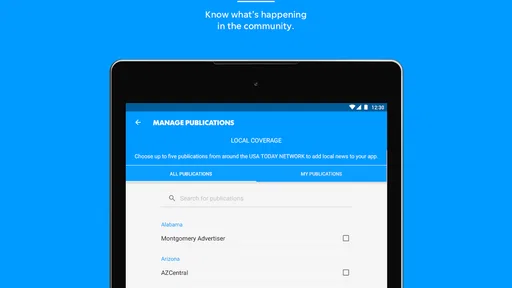
The main reason I would recommend this app is its local angle. National news is easy to find in large general-purpose apps, but local reporting is often buried behind broad feeds that prioritize the biggest stories. lohud approaches the problem from the other direction. It gives regional news a central role, while still offering national material for context.
That makes it a practical companion for someone who lives in the area, works there, commutes through it, or has family and friends there. A reader might use it in the morning to check developments affecting the community, return at lunchtime for updates, and look again in the evening for follow-up coverage. I found that workflow more useful than opening a general news app and hoping a local story appears among national politics, entertainment, and business headlines.
There is also a difference between reading local news occasionally and wanting it as part of a daily habit. If you only need major national headlines, lohud may feel too narrow. If local decisions, events, public safety, schools, transportation, or community developments matter to you, the narrower focus becomes its main advantage. This is a location-driven news reader, not a one-size-fits-all headline machine.
Photography and video add useful context
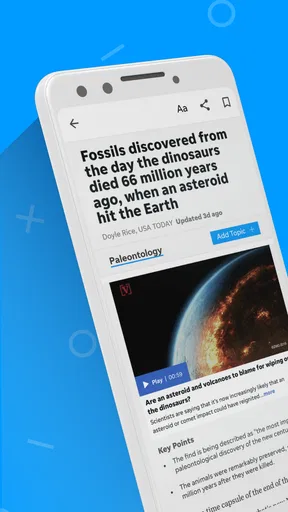
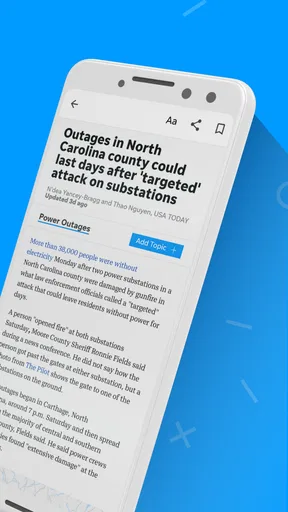
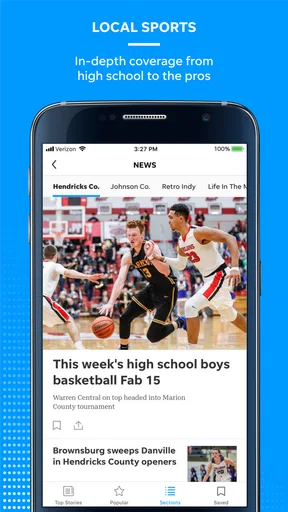
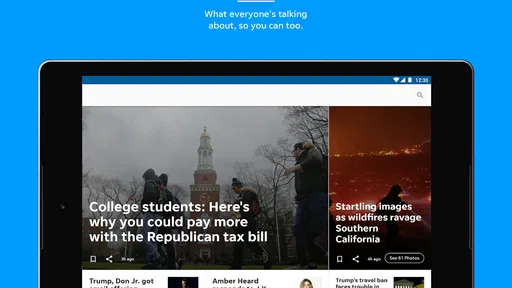
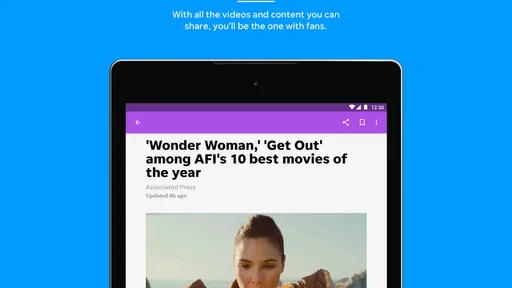
The app is not limited to blocks of text. Its presentation includes photography and video, which can make a local story easier to understand quickly. A photograph can show the scale or setting of an event more effectively than a headline, while video can help when a developing story is difficult to explain in a short summary.
Worth Reading Before You Choose

EA SPORTS FC Mobile 26 Is a Bigger Football Game, but It Takes Time

Flipboard Shows What News Apps Must Do Beyond the Feed

Switching to Android Auto Means Rethinking Your Driving Routine

Google Calendar Makes a Crowded Week Easier to Manage

Ludo King Makes the Most of the Minutes Between Plans

Baby Panda World Brings Quick Play to Modern Phones, but Its Game Library Feels Busy
I especially value visual material when I am deciding whether a story is relevant before committing time to it. A strong image can establish the place and mood immediately. Video is more useful when I have a few uninterrupted minutes, although it is not always the best choice when I am checking headlines in a noisy or rushed setting. For that reason, I see the visual content as a complement to written reporting rather than a reason to use the app on its own.
One practical tip is to separate quick scanning from deeper reading. I would first look through the headlines and visual cues, then open only the stories that affect my interests. That prevents the app from becoming a stream of items I recognize but never finish. It also makes the local emphasis work better, because not every regional story will matter equally to every reader.
What the current release tells me
The current version is 8.10.3, and the app has been available since May 3, 2012. That long presence matters because a local news product needs continuity. Readers are more likely to build a habit around an app that has remained part of the mobile news landscape than around a short-lived experiment.
At the same time, a long-running app has to serve two audiences: people who already know its style and newcomers who expect a smooth, modern mobile experience. In my view, the current release feels like an established publication delivered through an app, rather than a social feed designed to keep you scrolling endlessly. That is a positive if you want journalism organized around stories. It can feel less exciting if you prefer highly personalized feeds, constant recommendations, or extensive interaction.
The version number is useful context, but I would not treat it as proof that every part of the experience has been transformed. A current release can maintain compatibility and refine the app without changing its basic identity. What matters to me is that the product still clearly serves its original purpose: making local and national news available in a mobile format with rich visual material.
How it compares with familiar alternatives
Compared with a general national news app, lohud offers a more focused local lens. The trade-off is breadth. A broad aggregator may give you more sources, more topics, and stronger personalization, but it can make local coverage harder to find. lohud is the better choice when the place covered by the publication is the starting point for your news routine.
Compared with reading a publication through a mobile browser, a dedicated app can feel more direct. You open one destination instead of navigating through bookmarks and pages. The advantage is convenience; the disadvantage is that you are committing storage and screen space to a single publication. Someone who reads many newspapers may prefer a browser or aggregator, while someone who repeatedly checks local coverage will probably appreciate the dedicated format.
Compared with television or social media, the app gives me a calmer way to choose what to read. Social platforms can surface breaking information quickly, but they also mix reporting with commentary, reposts, and unrelated material. Television can provide strong visual coverage, yet it follows a schedule and is less convenient for a short personal check-in. lohud sits between those options: more focused than a social feed and more flexible than a broadcast schedule.
Where the free model needs attention
The app is free to download and use, but it includes in-app purchases ranging from $19.99 to $69.99 per item. That is important for anyone who assumes “free” means the entire experience has no possible paid path. I would look carefully at what a purchase unlocks before committing, especially if I only want occasional local headlines.
This does not automatically make the app poor value. News organizations need ways to support reporting, and a frequent local reader may consider paid access worthwhile. My advice is to decide based on reading frequency: if you check it several times a week and rely on its coverage, a purchase may make more sense than it would for someone who opens it only when a major event occurs. The key is to understand the payment screen rather than treating the initial download as the full financial picture.
There is another trade-off in the free approach: the app may be more attractive to readers who want a publication-specific experience than to people who expect every story and feature to be unrestricted. I would not install it casually without considering how often I expect to use it. A local news app earns its place on my phone through regular relevance, not through the number of times I download it.
Who will get the most from it
I think lohud is a good fit for residents and former residents who want a dependable way to keep up with the region. It can also suit relatives who live elsewhere but want a closer view of what is happening in the area. The national coverage adds useful background, but the local identity is the reason to choose this app over a general news reader.
It is also suitable for readers who prefer selecting stories themselves. The app does not need to replace every source in your routine. I would pair it with a broader outlet if I wanted international coverage, specialized business reporting, or a wide range of opinions. Used alongside another source, lohud can fill the local gap without forcing you to abandon the rest of your news habits.
I would be more cautious about recommending it to someone who wants a highly customized news dashboard. If your priority is combining many publications in one place, comparing outlets side by side, or receiving a constant stream shaped by detailed interests, an aggregator may be a better match. The focused editorial identity is a strength, but it also limits how universal the app feels.
A realistic day with the app
Imagine starting the day with a short commute and only a few minutes available. I would open lohud, scan the local headlines, and pay attention to anything that could affect travel, work, school, or family plans. I would then save the most relevant story mentally or return to it later when I had time for the full article. The national section could provide a quick connection to larger events without requiring a second app immediately.
At lunch, I might revisit the app to see whether a local story had developed. This second visit is where a publication-focused app can be more useful than a one-time news search: I already know where to look, and I can compare the newer headline with what I saw earlier. In the evening, photography or video could help me understand a significant event more clearly than a short text update.
The important workflow is not to consume everything. I would use the app as a filter for local relevance, then choose a few stories for deeper attention. That approach reduces the common problem of opening a news app repeatedly without actually retaining anything. It also makes the experience less dependent on constant notifications or endless scrolling.
Small habits that improve the experience
My first tip is to use the app at set moments rather than checking it every few minutes. Local news can be important without needing to dominate the day. A morning scan and an evening review are enough for many readers, while people following a developing event can check more often.
My second tip is to judge visual content by purpose. Photography is excellent for orientation and human context, while video is better when movement, interviews, or a changing scene matters. If I am on a limited connection or in a hurry, I would prioritize text first and open media later. That keeps the app useful even when I cannot give every story full attention.
My third tip is to review the purchase choice before making it. Since paid items can reach $69.99, I would confirm the exact offer, renewal terms if any are shown, and the kind of access included. This is not a criticism of the publication; it is simply good practice for a news app whose free entry point can lead to more expensive options.
My fourth tip is to keep an alternate source for confirmation during fast-moving events. A local publication can be highly relevant, but no single app should be the only place I check when information is changing quickly or when a decision has serious consequences. I would use lohud for its regional reporting and consult another trusted source when broader verification is important.
Remaining friction and limitations
The average rating of 3.4 indicates that the app has not satisfied every reader. I would interpret that carefully rather than treating it as a final verdict. News apps are judged not only on design but also on article selection, access expectations, update timing, media performance, and payment choices. A reader who wants a different editorial scope may rate the same focused approach less favorably than someone who depends on local coverage.
For me, the biggest limitation is scope. The app can be valuable precisely because it is local, but that means it will not replace a full news ecosystem. I would still need another source for international developments, specialist topics, and a broader range of perspectives. If I wanted one app to cover every interest, this would not be my first choice.
The second limitation is the tension between free access and in-app purchases. A casual reader may feel uncertain about how far the free experience goes, while a committed reader may need to evaluate whether the available purchase fits their budget. That decision should happen before the app becomes part of a daily routine, not after.
The third limitation is that visual richness is not automatically the same as depth. Photography and video can make coverage more immediate, but I still want written reporting that gives enough context to understand what happened and why it matters. I would use the media to support my reading, not substitute it for reading.
What I would watch as the app evolves
Because the app has been around since 2012 and now sits at version 8.10.3, I would watch how future updates balance continuity with modern expectations. Existing users need the familiar local focus to remain intact, while new users will expect clear navigation and a dependable way to move between articles, images, and video. The best evolution would improve the path through the news without turning the publication into a generic feed.
I would also pay attention to how clearly the app explains its paid options. Transparent access is especially important when purchases range from $19.99 to $69.99 per item. A reader should be able to understand the value before paying, and long-term users should not have to guess which parts of the experience are included.
Finally, I would look for continued balance between local identity and national context. The local reporting should remain the reason to open the app, while national stories should help readers understand the bigger picture without crowding out the regional coverage. If that balance holds, lohud can remain useful as a focused daily companion rather than becoming just another broad headline feed.
My recommendation
I recommend lohud to readers who specifically want local and national news connected to the Hudson Valley area and who appreciate photography and video alongside written stories. Its free entry point makes it easy to try, and its long-running presence gives it a sense of continuity. I would install it if local relevance mattered more to me than having every topic gathered in one personalized stream.
I would skip it if my main goal were international breadth, specialist reporting, or a multi-source dashboard. I would also think twice if I disliked the possibility of in-app purchases or rarely read local news. In those cases, a general aggregator or browser-based routine may be more flexible.
Overall, I see lohud as a focused publication app with a clear job rather than an all-purpose news replacement. Its strongest quality is its local point of view, supported by national coverage and visual storytelling. Its main compromises are limited scope, a middling average rating, and the need to consider paid options. For the right reader, that trade-off is reasonable: use it as your local news anchor, then keep broader sources nearby for everything it does not aim to cover.
Pros
- Covers local news
- events
- weather
- and community updates in one app.
- Push alerts can help users stay informed about breaking stories nearby.
- Simple layout makes browsing headlines and sections quick and convenient.
- Useful for following Hudson Valley issues without relying on social media.
- Digital access complements the LoHud newspaper and website experience.
Cons
- Some articles may require a subscription or login to read in full.
- Advertising can take up screen space and affect the reading experience.
- Content is highly regional and may feel limited outside the Hudson Valley.
- Notifications may become frequent unless you adjust the app settings.
- Performance and loading speeds can vary with connection quality.
FAQs for lohud
What is lohud and what can I use it for?
lohud is a local news and information app focused on the Lower Hudson Valley area. After exploring the app, its main purpose is to help readers follow regional headlines, community stories, sports, weather, entertainment, and other updates in one place. It is especially useful for residents, commuters, and anyone who wants a convenient way to stay connected with news from the Hudson Valley.
Is lohud free to download and use?
The lohud app can generally be downloaded free of charge, allowing users to browse available articles and local updates without paying an installation fee. However, some content or features may be limited by a subscription, registration requirement, advertising model, or digital access plan. Before downloading, users should check the current terms shown in the Google Play Store or Apple App Store, since access policies can change.
Does lohud require an account or subscription?
You may be able to read some lohud content without creating an account, but an account can be required for personalized features, saved articles, newsletters, alerts, or access to subscriber-only stories. Depending on the publication’s current policy, certain articles may also be restricted to subscribers. It is worth reviewing the sign-in and subscription options before relying on the app for unlimited news access.
What kind of notifications does lohud send?
lohud may send notifications about breaking local news, important regional developments, sports results, weather-related information, and other stories selected by its editorial team. Notifications can be useful if you want immediate updates, but frequent alerts may become distracting. During setup, review the permission request carefully and adjust notification categories in the app or your device settings so you receive only the topics that interest you.
Is lohud available for both Android and iPhone?
lohud is designed for mobile users and may be available through the official Google Play Store for Android devices and the Apple App Store for iPhone or iPad, depending on regional availability and current publisher support. Before installing, confirm that your device meets the listed operating-system requirements. Downloading only from official stores is recommended because it provides safer access to legitimate updates and the publisher’s latest version.


